ContiConnect
Read more




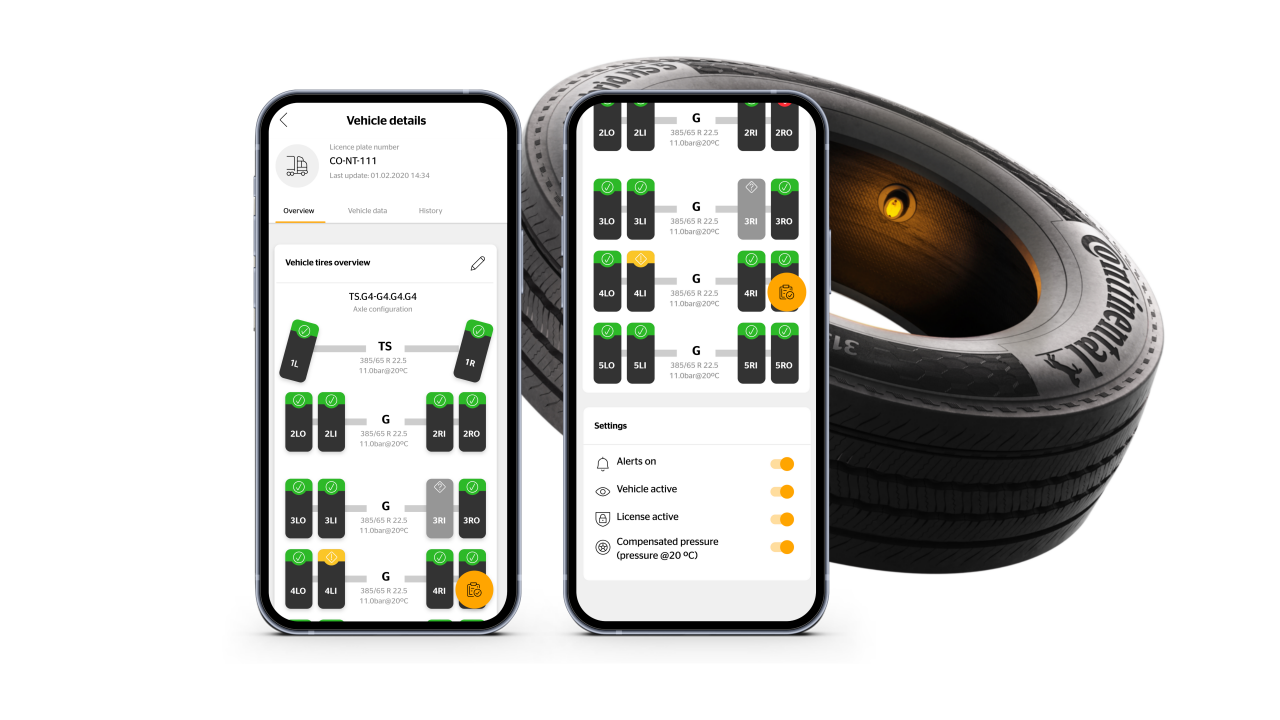
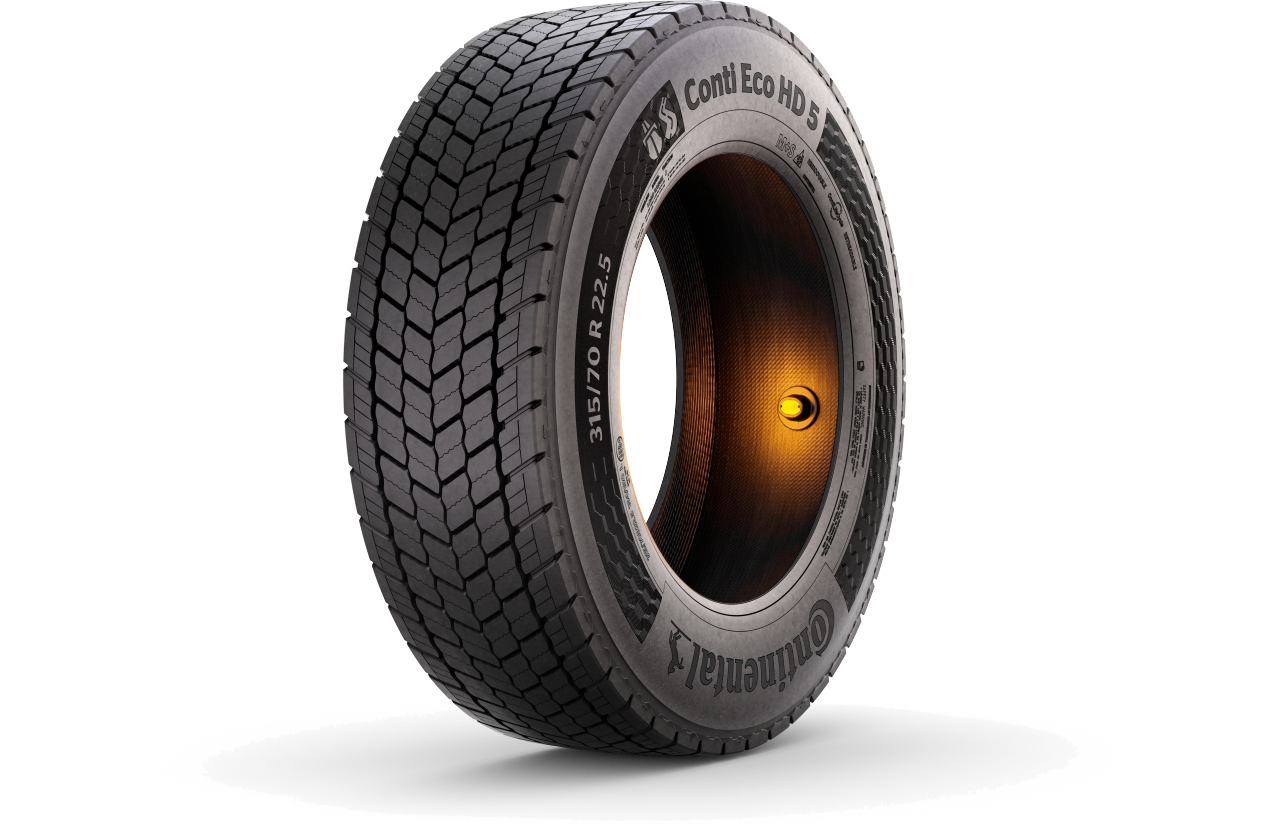
ContiConnect sensors mounted inside your fleet's tires measure mileage, tire temperature, and tire pressure. This data can be conveniently monitored on the ContiConnect platform to improve your fleet efficiency. All ContiConnect Pro customers can use the ContiConnect web portal and app. ContiConnect Lite users have access to the app, which displays essential tire insights.
The ContiConnect web portal offers tire management with an individual overview of each tire in your fleet. You can access it from any device, including a laptop, tablet, or smartphone.
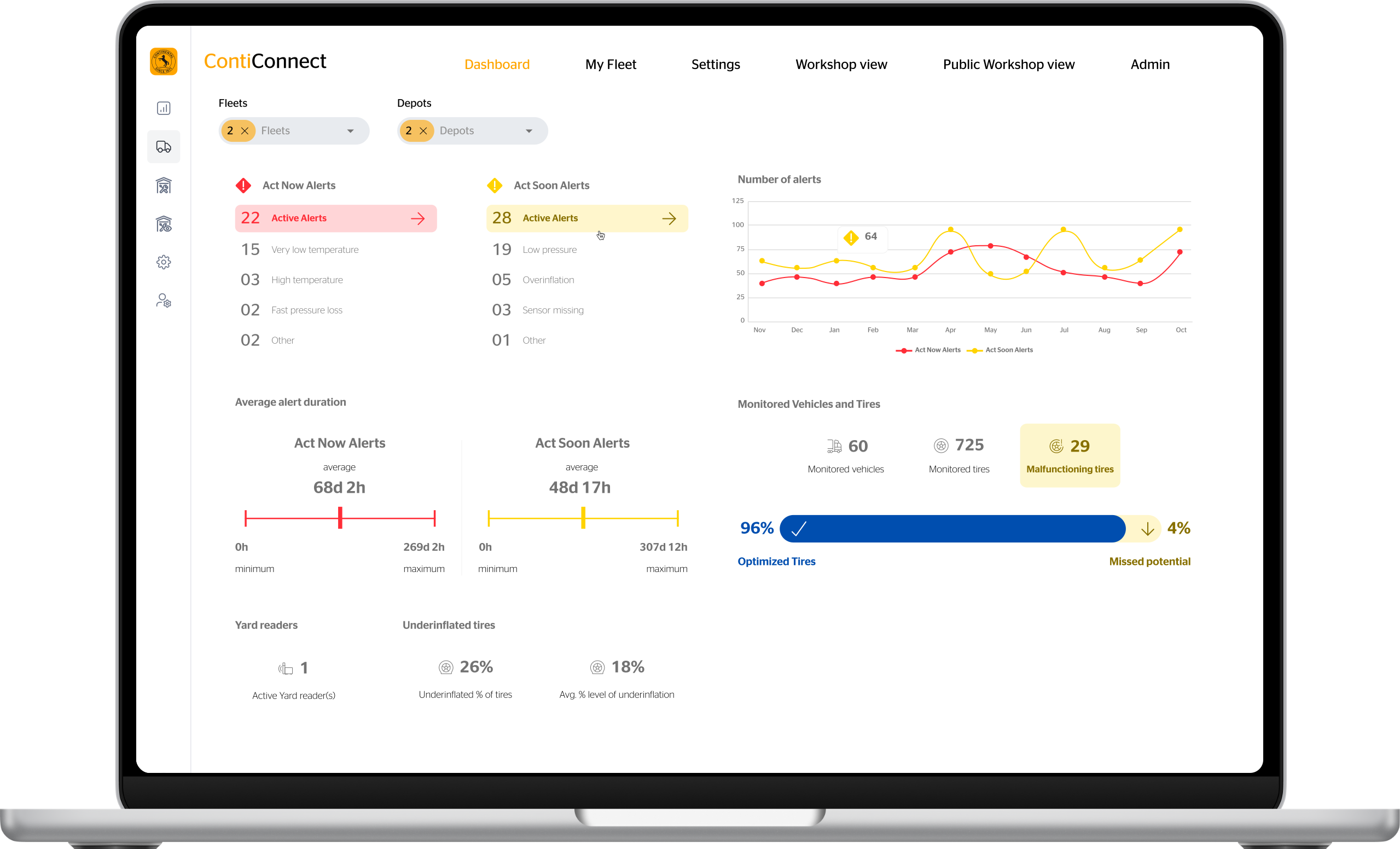
- Enables automated monitoring of the entire fleet´s tire status
- Is adjustable to the individual needs of your fleet
- Allows customization of alert thresholds and notifications
- Can be exported as xls which can be read and edited by Microsoft Excel and compatible programs.
Assign different roles via the platform to maintain full control over who has access to what type of information.
Fleet Manager: Has access to all fleet data and tire information.
Depot Manager: Has access to all vehicle and tire information from a specific depot.
The ContiConnect web portal offers Application Programming Interfaces (APIs) that facilitate easy data integration into existing systems. This means that data from ContiConnect can be seamlessly integrated into current IT systems, fleet management, or workshop software.
Together with our partners we offer integrated solutions for seamless and smarter fleet tracking.
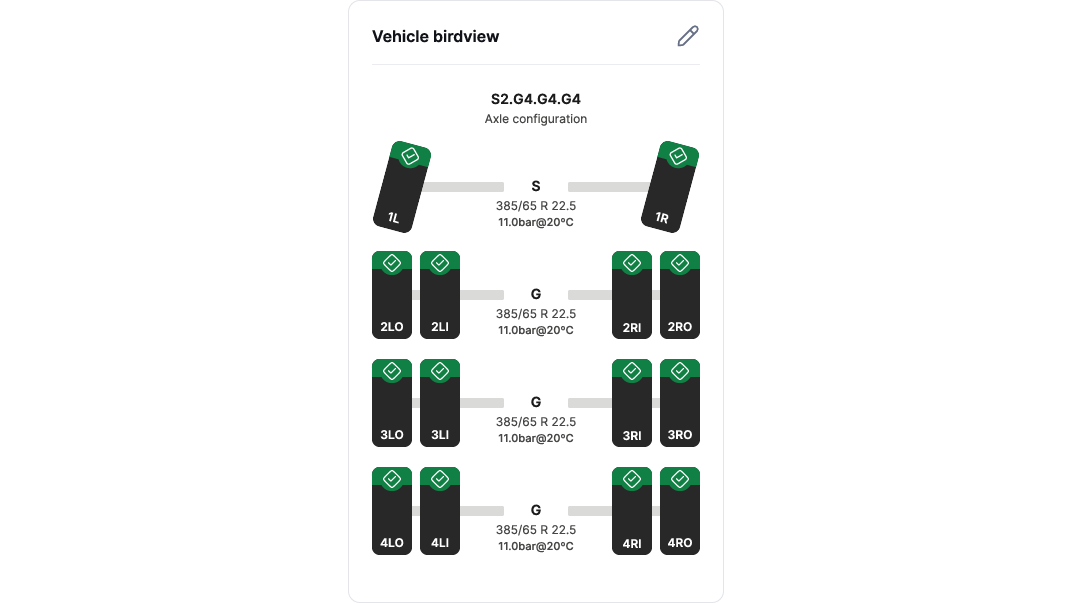
This view can be tailored to suit individual priorities and preferences, allowing you to adjust the order of presentation. It helps you identify areas of action with the aid of digital tire data and recommendations, and enables you to export data to work in other applications for the detailed analyses.
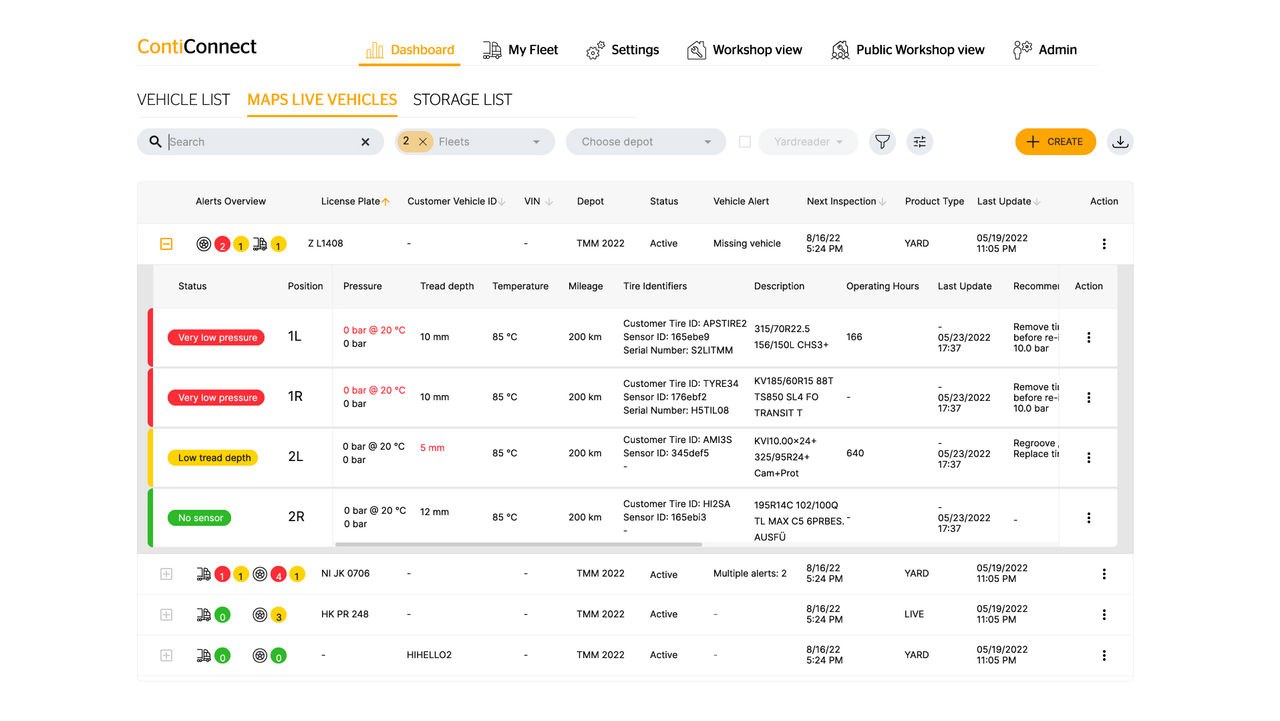
All tire and vehicle data organized in one place can be searched with filter options. Monitor key tire and vehicle parameters such as pressure, temperature and mileage. Review historical data and event history based on preferred time periods, and access alerts with recommendations to identify relevant actions.
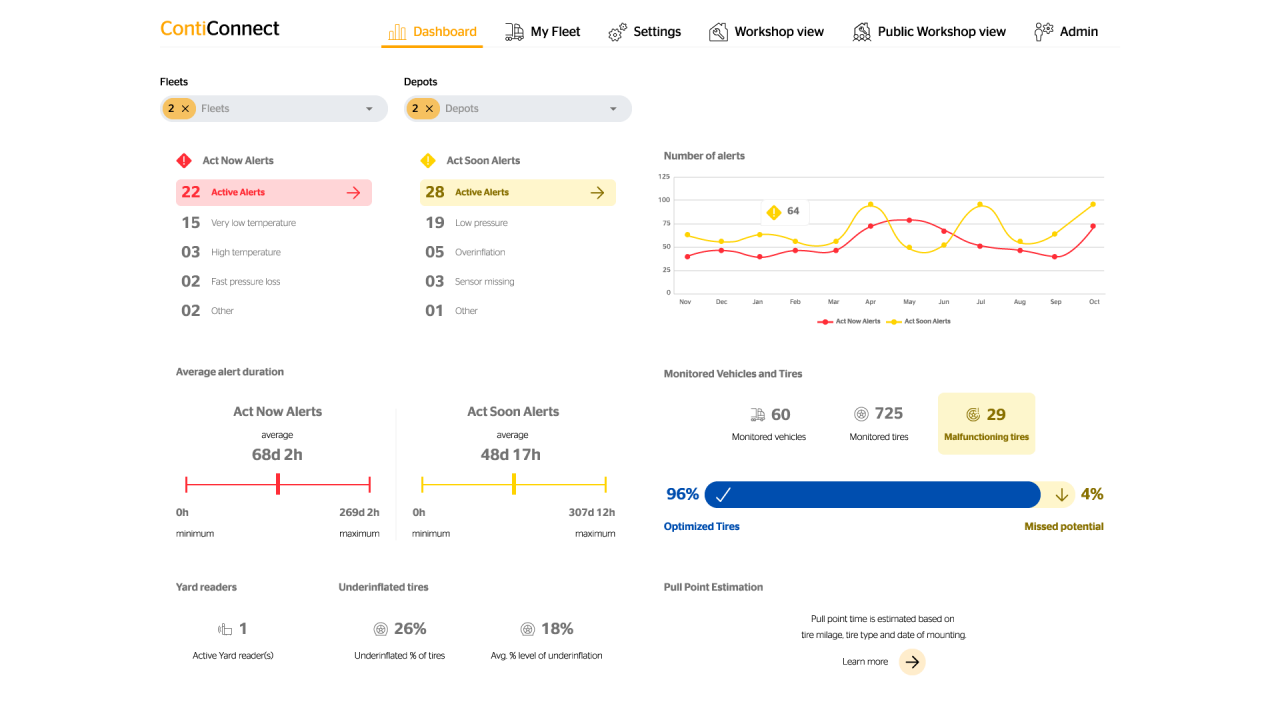
The KPI Dashboard tracks the progress of your tire monitoring and provides insights into the efficiency of your tire management. The goal: to enable you to control your tire maintenance more effectively by looking at the numbers and urgency of alerts.
The workshop view offers a specialized bird’s-eye view for workshops and tire services providers, enabling detailed tracking of vehicles passing by the Yard Reader. It provides a comprehensive overview of tire conditions for an entire fleet or individual vehicles, allowing to detect problems early, prioritizing vehicles that require actions, and simplifying communication between the fleet manager and service providers.
Data shown:
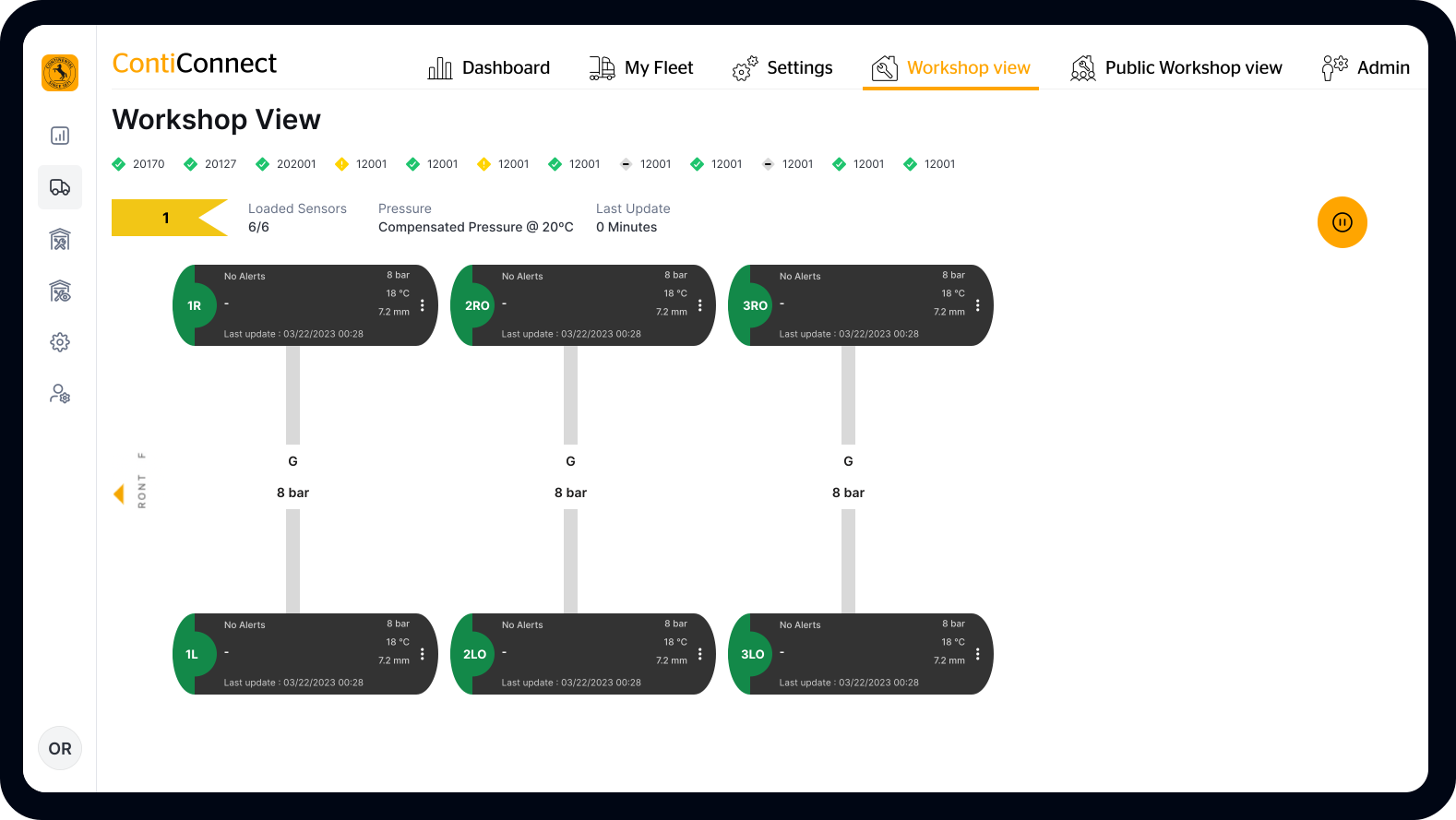
You can select a standard view displaying all information or a public workshop view that offers a limited selection of information.
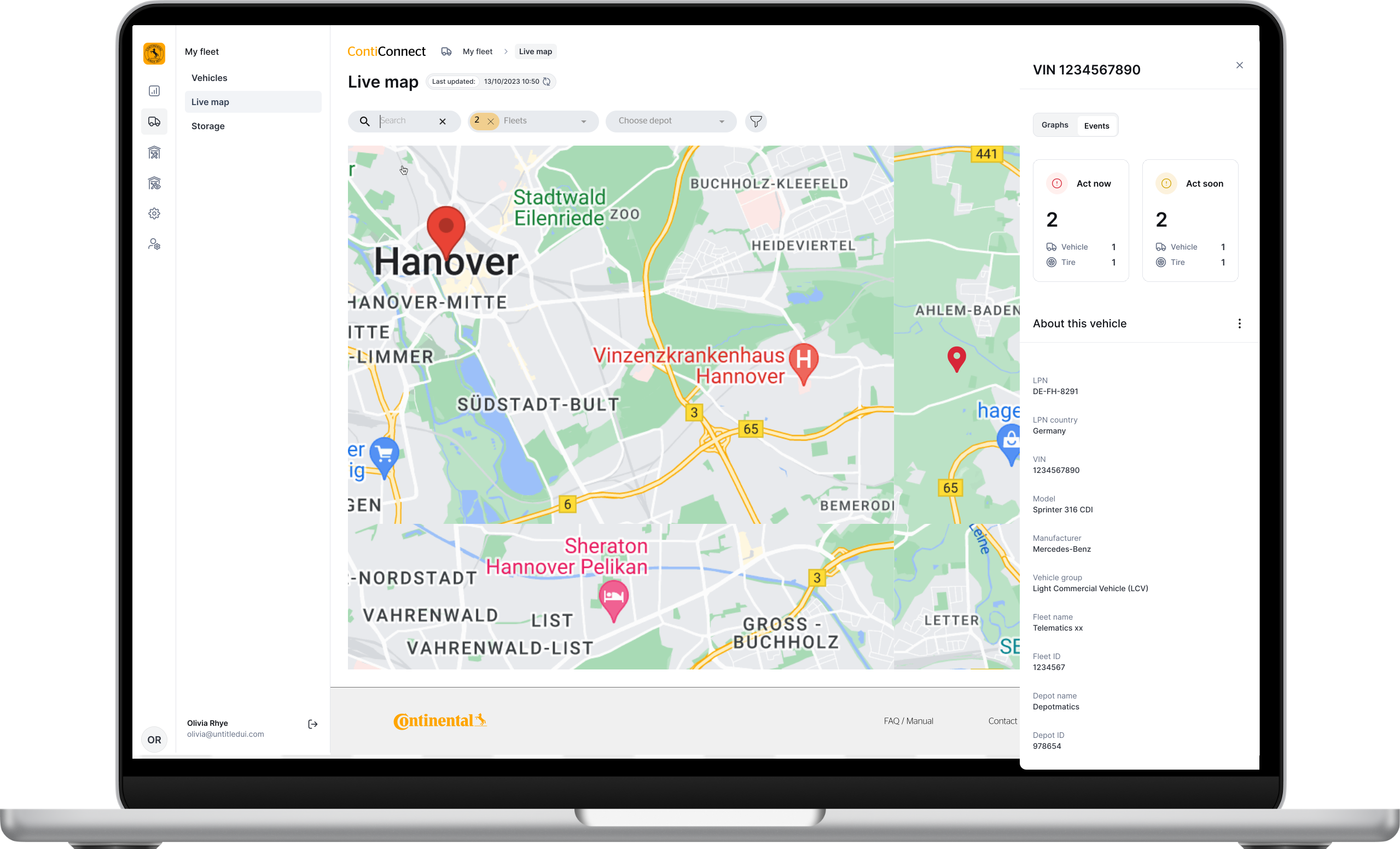
The map displays the real-time locations of all registered vehicles, along with live information for each tire. This helps identify problems as they arise at their specific location. You can save time by locating the nearest workshop based on the vehicle's current position, and communication is simplified by providing relevant tire data and vehicle location in an overview.
The ContiConnect App is your mobile tire management overview, providing individual data for each tire. It is compatible with any mobile device and tablet, and works both with iOS and Android.
Discover the comparison of ContiConnect App functions for Lite and Pro users:
App Function | ContiConnect Lite | ContiConnect Pro |
Tire pressure & temperature | Yes | Yes |
Vehicle Data | Basics | Advanced including history |
“My Fleet” view | limited | Yes |
Workshop view | No | Yes |
Live Map of vehicles | No | Yes for Live No for Yard |
Historic data and KPI Dashboard | No | Yes |
Integration in other Fleet management systems | No | Yes |
%201@2x.png/_jcr_content/renditions/cq5dam.web.1280.1280.jpeg)